






Why buy from us?
Lorem Ipsum is simply dummy text of the printing and typesetting industry.
Ask a Question About This Product
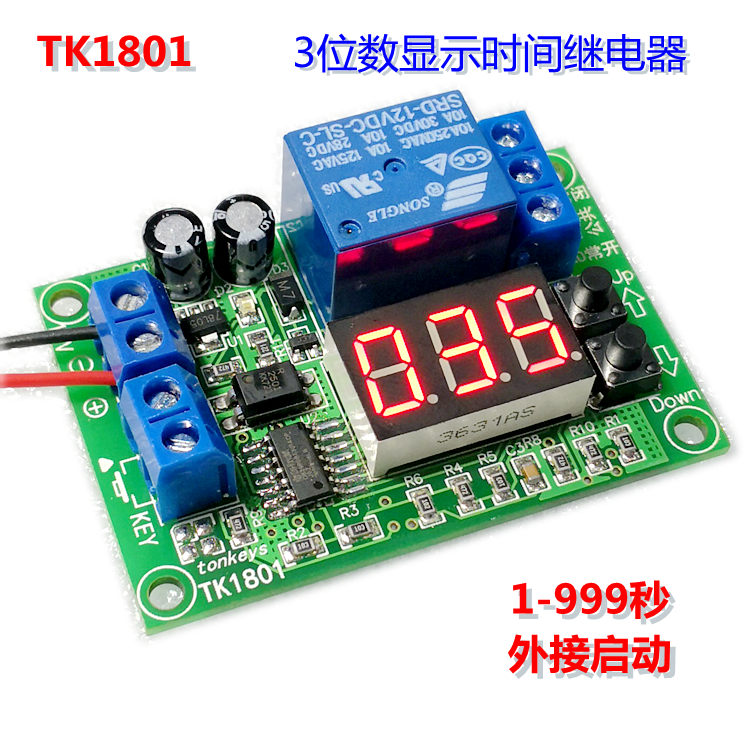
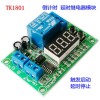
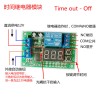
3-digit display time relay module trigger start timing stop dynamic display button adjustment
$2.82
- Stock: In Stock
- Brand: OEM
- Model: RLMPN1114
- Location: https://detail.1688.com/offer/624995295245.html


[Function and Operation Description]
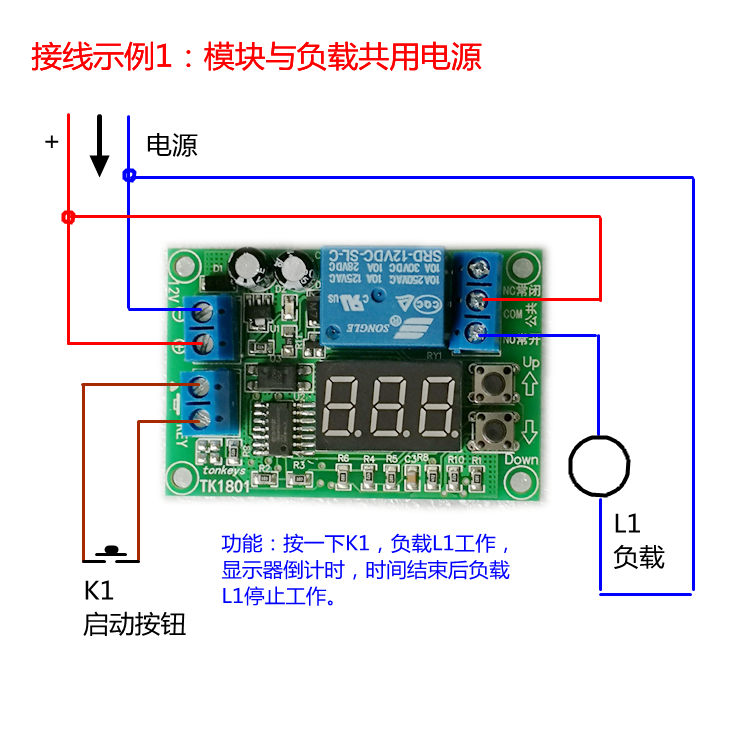
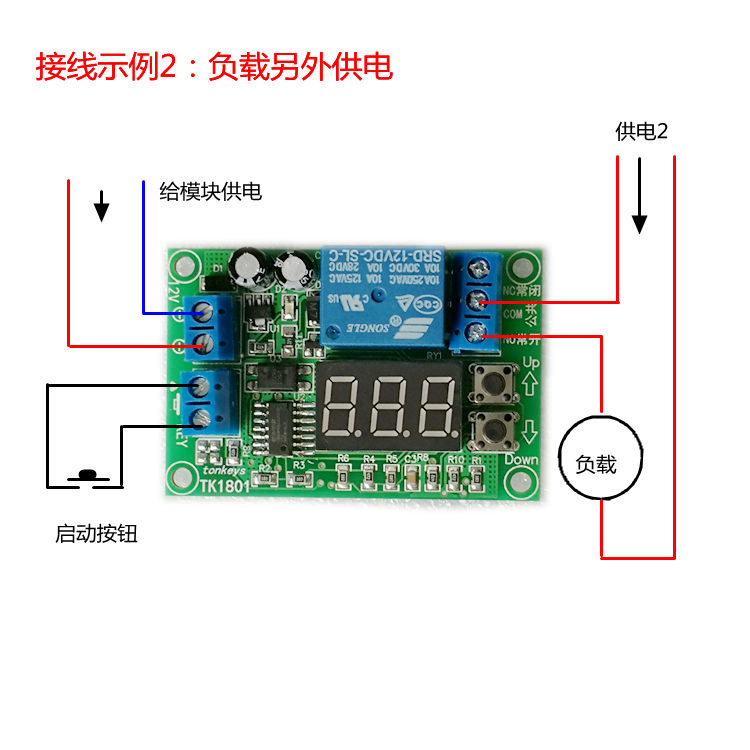
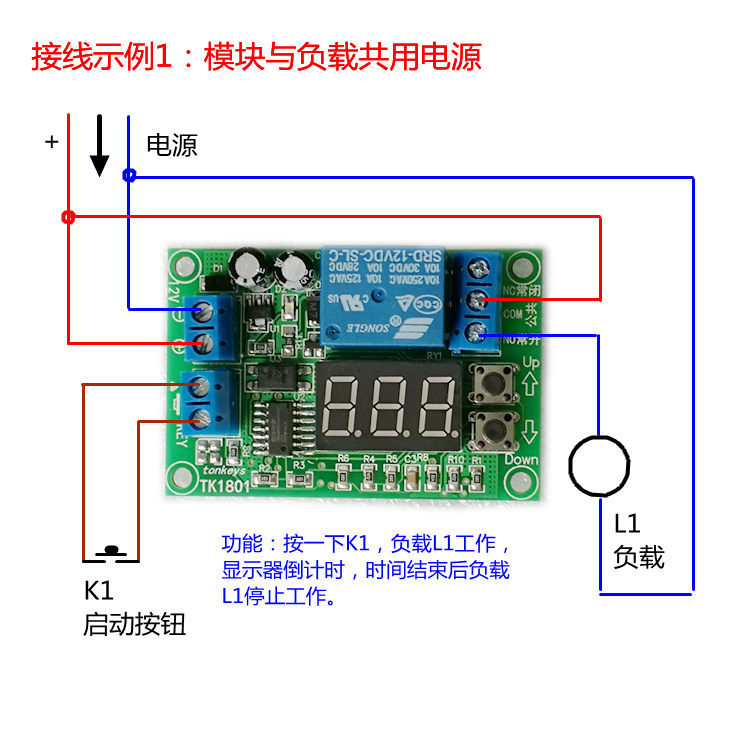
Function:After triggering, the delay starts and the relay is immediately turned on. After the end, the relay is turned off.
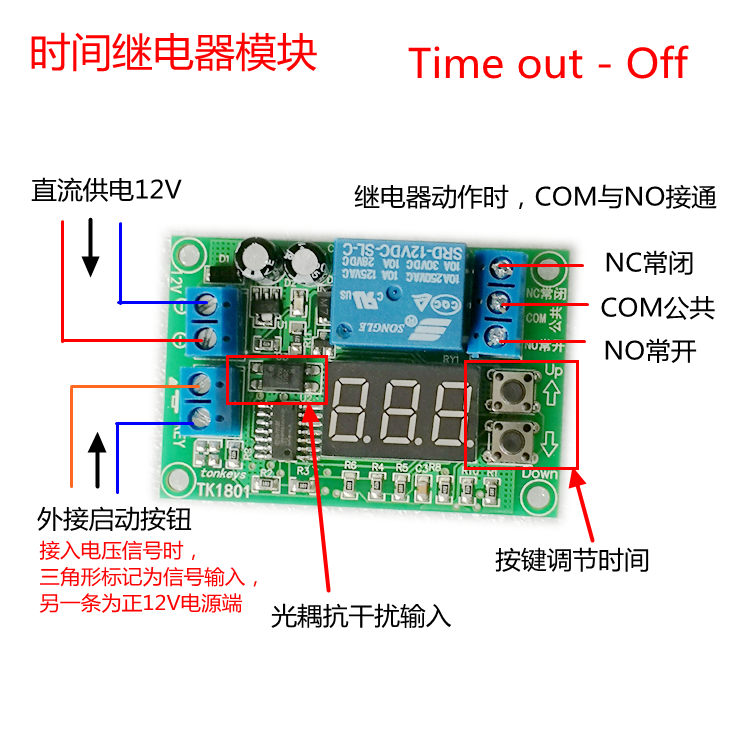
1. Trigger:Short term contact between the two wires of the KEY terminal, usually connected to an external button or voltage signal; Note that triggering again after triggering is invalid. Wait until the end before triggering again
2. Time adjustment:Press the Up key to increase the time, 999, press the Down key to decrease the time, 1, the unit of time is seconds; Note that during the process, the adjustment time will immediately stop the relay and return to the initial state. Press and hold the button to adjust the time. After adjusting the time, please do not immediately turn off the power. You should wait for more than 1 second to ensure that the set time is effectively saved. The next time you turn on the power, it will be adjusted later.
3. Display:When not triggered, display the set time; Display remaining time after triggering (); The setting process flashes to display the set time.
4. Special function settings:Time range switching. Press the down arrow key multiple times immediately after power on to enter the time range setting. At this time, P00 will flash. Use the up and down arrow keys to switch. After the setting is completed, wait for 2 seconds to complete. Code range description:
The P00 time range is1-999 seconds
The time range of P01 is1-999 minutes
The time range of P02 is1-999 hours
The time range of P03 is0.1-99.9 seconds(Note that the decimal point will not be displayed)
【 Basic Parameters 】
Voltage:12V DC (range 10V-16V), with 24V versions available for other voltages.
power waste:0.5W
Time range:1-999 seconds
Display mode:Three red digital tubes (display remaining time during the process, otherwise display the set time)
Time adjustment:Button adjustment, (with power-off memory, automatically set after the next incoming call)
Accuracy:1 second
Error:2%
Trigger method:Short circuiting for 0.025 seconds or more is effective
Output contact:A set of normally open and normally closed
Output capability:10A (voltage range 0-250V AC, or 0-30V DC)
Output method:Passive (i.e. dry contacts, not electrified, switch quantity, equivalent to a switch)
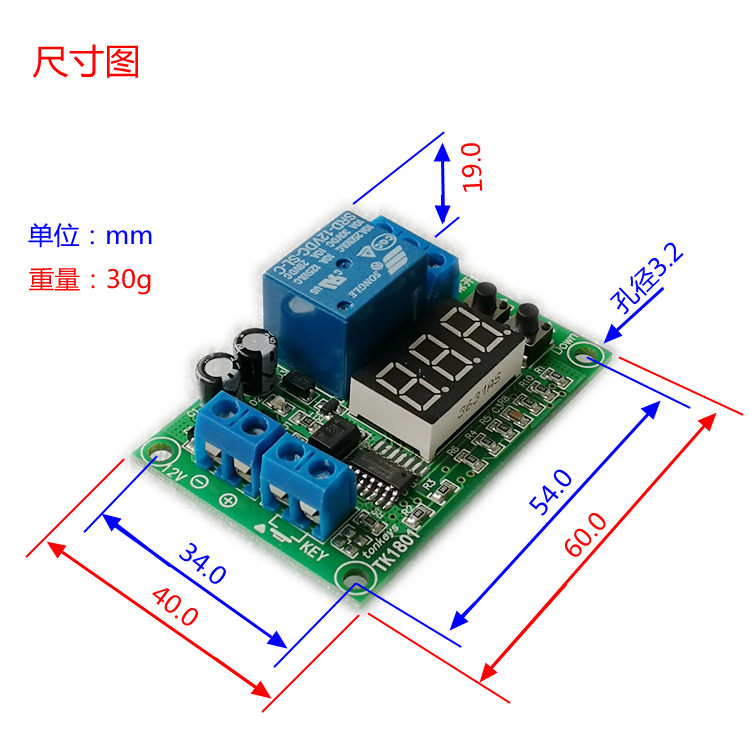
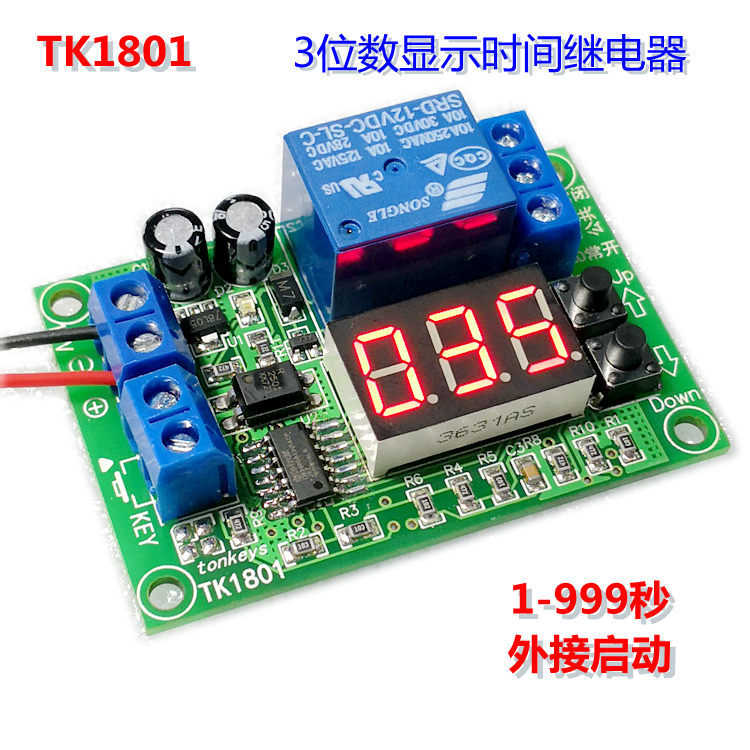
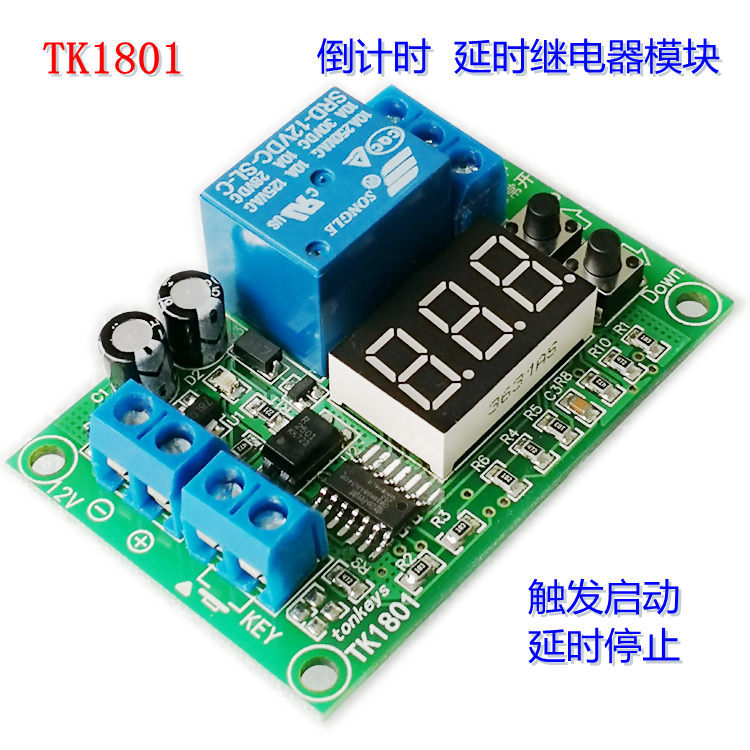
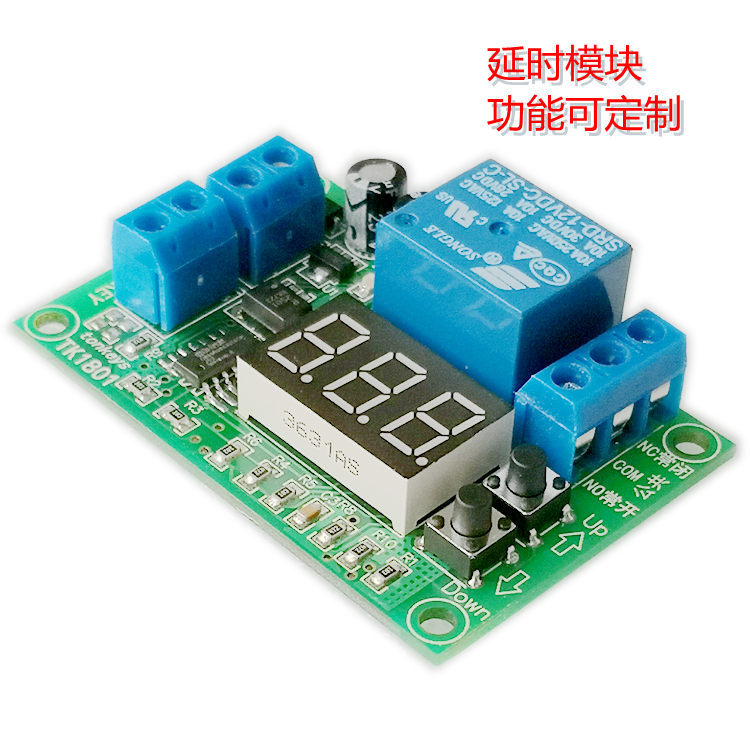
Size:90mm * 40mm * 20mm (length * width * height), as shown in the figure.
Weight:30g
Optional shell:QF-2#, Do not take photos with incomplete matching or high requirements.
Brand:TONKEYS
Others:This module supports customized functions. Please contact the shop owner.
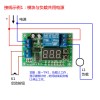
[Interface Description]
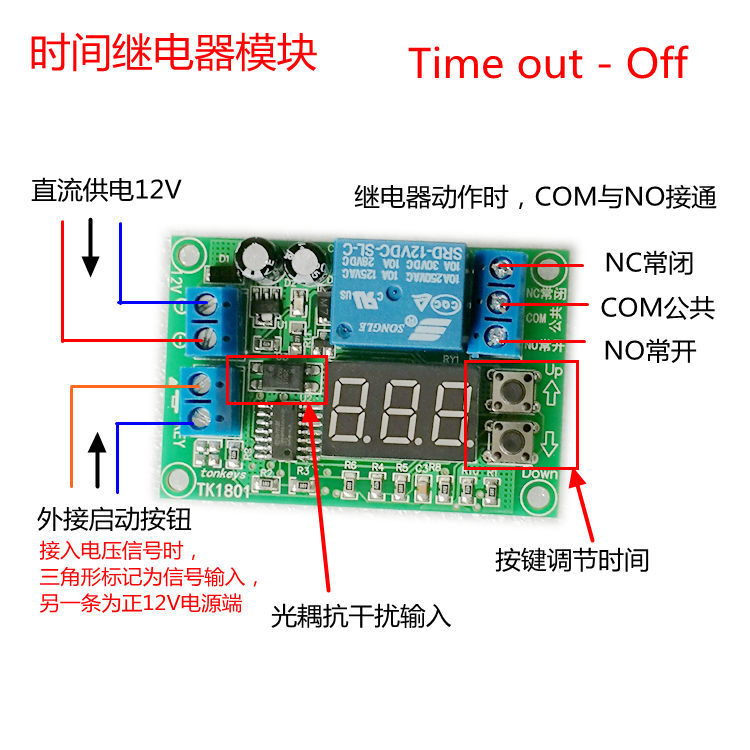
12V+Positive module power supply
12V-Negative module power supply
NOThe normally open terminal of the relay
COMCommon terminal of relay
NCNormally closed terminal of relay
KEY-1Button external terminal, input from here when triggered by voltage. It has a triangular logo
KEY-2The external terminal of the button is actually connected to 12V+.
Note:The "on" in the functional description refers to the connection between the "common" and "normally open" of the relay.
[Details of Physical Photos]